{
"_args": [
[
"ioredis@^4.14.1",
"/var/www/localhost.example.com"
]
],
"_from": "ioredis@>=4.14.1 <5.0.0",
"_hasShrinkwrap": false,
"_id": "ioredis@4.14.1",
"_inCache": true,
"_installable": true,
"_location": "/ioredis",
"_nodeVersion": "10.16.3",
"_npmOperationalInternal": {
"host": "s3://npm-registry-packages",
"tmp": "tmp/ioredis_4.14.1_1566873834932_0.020175407670396384"
},
"_npmUser": {
"email": "i@zihua.li",
"name": "luin"
},
"_npmVersion": "6.9.0",
"_phantomChildren": {},
"_requested": {
"name": "ioredis",
"raw": "ioredis@^4.14.1",
"rawSpec": "^4.14.1",
"scope": null,
"spec": ">=4.14.1 <5.0.0",
"type": "range"
},
"_requiredBy": [
"/"
],
"_resolved": "https://registry.npmjs.org/ioredis/-/ioredis-4.14.1.tgz",
"_shasum": "b73ded95fcf220f106d33125a92ef6213aa31318",
"_shrinkwrap": null,
"_spec": "ioredis@^4.14.1",
"_where": "/var/www/localhost.example.com",
"author": {
"email": "i@zihua.li",
"name": "luin",
"url": "http://zihua.li"
},
"bugs": {
"url": "https://github.com/luin/ioredis/issues"
},
"config": {
"commitizen": {
"path": "./node_modules/cz-conventional-changelog"
}
},
"dependencies": {
"cluster-key-slot": "^1.1.0",
"debug": "^4.1.1",
"denque": "^1.1.0",
"lodash.defaults": "^4.2.0",
"lodash.flatten": "^4.4.0",
"redis-commands": "1.5.0",
"redis-errors": "^1.2.0",
"redis-parser": "^3.0.0",
"standard-as-callback": "^2.0.1"
},
"description": "A robust, performance-focused and full-featured Redis client for Node.js.",
"devDependencies": {
"@semantic-release/changelog": "^3.0.4",
"@semantic-release/git": "^7.0.12",
"@types/bluebird": "^3.5.27",
"@types/chai": "^4.1.7",
"@types/debug": "^4.1.4",
"@types/lodash.defaults": "^4.2.6",
"@types/lodash.flatten": "^4.4.6",
"@types/mocha": "^5.2.7",
"@types/node": "^12.0.2",
"@types/redis-errors": "1.2.0",
"@types/sinon": "^7.0.13",
"@typescript-eslint/eslint-plugin": "^1.11.0",
"@typescript-eslint/parser": "^1.11.0",
"bluebird": "^3.5.4",
"chai": "^4.2.0",
"cz-conventional-changelog": "^2.0.0",
"eslint": "^5.16.0",
"eslint-config-prettier": "^5.1.0",
"husky": "^2.5.0",
"istanbul": "^0.4.5",
"mocha": "^5.0.0",
"prettier": "^1.18.2",
"pretty-quick": "^1.11.1",
"server-destroy": "^1.0.1",
"sinon": "^7.3.2",
"ts-node": "^8.1.0",
"typescript": "^3.5.1"
},
"directories": {},
"dist": {
"fileCount": 36,
"integrity": "sha512-94W+X//GHM+1GJvDk6JPc+8qlM7Dul+9K+lg3/aHixPN7ZGkW6qlvX0DG6At9hWtH2v3B32myfZqWoANUJYGJA==",
"npm-signature": "-----BEGIN PGP SIGNATURE-----\r\nVersion: OpenPGP.js v3.0.4\r\nComment: https://openpgpjs.org\r\n\r\nwsFcBAEBCAAQBQJdZJjrCRA9TVsSAnZWagAAooUP/iwXxBU063rNiYpO/hqj\nVt4QNNNuM52HZuaTX+MAVlepa4GJPoZQOtbMTwcYhlOSIXNOszsxi1jHXicc\nAklUWHCa3rL6iiM1czgGyoVHMeqBQ+hawnwMdqmqGRY0sfP/WQWwi+ZIW7s1\nwyto07YE448lwZ8MKdYdO053vkJbM8BQzrvM6Gngcjpf4O1HPnGB8OSpp2HA\nshQs+hnKK2A80jnXc7+yhn30Ko3UecdBRBLo4Ns6TD6hy6zWRSxQX8w6g/zs\nZ9mv0iTlqKxRyzGN+1NmtwfIYLeFg7kbgspUQP0zRPkxZ+PESqdQIkYcKkj6\nrHXKxps1yMa1sOR36we8gMV++iJNY+yvqkwTu9OwB2Lj7Z+89WXX4fNrisZy\nnysbSVTThwutCVjfcRcaEu547rTH6YH2M9PGwh4hx4rz/yCAZ2m9Tzc2S9oR\ntGscwWcbzcOYZv9FyTClDwJG4cLr9mAQUvsGU2TVrN+JJ3xOVrJbyO+/8hxJ\nP+Y5R/U9FDDpROsF230qXMGEXbKq7ik2NZC1WggsU1YvJ/3mS0pmya3D7NY2\nyzHsDHUbWfJuPD0zMaE4w9zSPne1Yxm61dI0rrFLT+VRiHEySgOjpgaeYbo9\nv/aOdxfFwN21T5bLk/cevER56sSZ9H+/54Glm4KDcIbiKKkgrJhmVoL/hze9\nPuOV\r\n=PEde\r\n-----END PGP SIGNATURE-----\r\n",
"shasum": "b73ded95fcf220f106d33125a92ef6213aa31318",
"tarball": "https://registry.npmjs.org/ioredis/-/ioredis-4.14.1.tgz",
"unpackedSize": 239629
},
"engines": {
"node": ">=6"
},
"gitHead": "1baff479b2abfb1cba73e84ce514b3330b2b0993",
"homepage": "https://github.com/luin/ioredis#readme",
"husky": {
"hooks": {
"pre-commit": "pretty-quick --staged"
}
},
"keywords": [
"cluster",
"pipelining",
"redis",
"sentinel"
],
"license": "MIT",
"main": "built/index.js",
"maintainers": [
{
"name": "ioredis-robot",
"email": "ioredis-robot@zihua.li"
},
{
"name": "luin",
"email": "i@zihua.li"
}
],
"name": "ioredis",
"optionalDependencies": {},
"readme": "[](https://github.com/luin/ioredis)\n\n[](https://travis-ci.org/luin/ioredis)\n[](https://codeclimate.com/github/luin/ioredis)\n[](https://github.com/prettier/prettier)\n[](https://gitter.im/luin/ioredis?utm_source=badge&utm_medium=badge&utm_campaign=pr-badge&utm_content=badge)\n[](http://commitizen.github.io/cz-cli/)\n[](https://github.com/semantic-release/semantic-release)\n[](https://www.npmjs.com/package/ioredis)\n[](https://www.npmjs.com/package/ioredis)\n \n\nA robust, performance-focused and full-featured [Redis](http://redis.io) client for [Node.js](https://nodejs.org).\n\nSupports Redis >= 2.6.12 and (Node.js >= 6).\n\n# Features\n\nioredis is a robust, full-featured Redis client that is\nused in the world's biggest online commerce company [Alibaba](http://www.alibaba.com/) and many other awesome companies.\n\n0. Full-featured. It supports [Cluster](http://redis.io/topics/cluster-tutorial), [Sentinel](http://redis.io/topics/sentinel), [Pipelining](http://redis.io/topics/pipelining) and of course [Lua scripting](http://redis.io/commands/eval) & [Pub/Sub](http://redis.io/topics/pubsub) (with the support of binary messages).\n1. High performance.\n2. Delightful API. It works with Node callbacks and Native promises.\n3. Transformation of command arguments and replies.\n4. Transparent key prefixing.\n5. Abstraction for Lua scripting, allowing you to define custom commands.\n6. Support for binary data.\n7. Support for TLS.\n8. Support for offline queue and ready checking.\n9. Support for ES6 types, such as `Map` and `Set`.\n10. Support for GEO commands (Redis 3.2 Unstable).\n11. Sophisticated error handling strategy.\n12. Support for NAT mapping.\n\n# Links\n\n- [API Documentation](API.md)\n- [Changelog](Changelog.md)\n- [Migrating from node_redis](https://github.com/luin/ioredis/wiki/Migrating-from-node_redis)\n- [Error Handling](#error-handling)\n\n
\n \n\n### [AD] Medis: Redis GUI for OS X\n\nLooking for a Redis GUI manager for OS X, Windows and Linux? Here's [Medis](http://bit.ly/medis-macos)!\n\nMedis is an open-sourced, beautiful, easy-to-use Redis GUI management application.\n\nMedis starts with all the basic features you need:\n\n- Keys viewing/editing\n- SSH Tunnel for connecting with remote servers\n- Terminal for executing custom commands\n- JSON/MessagePack format viewing/editing and built-in highlighting/validator\n- And other awesome features...\n\n[Medis is open sourced on GitHub](https://github.com/luin/medis)\n\n### [AD] Kuber: Kubernetes Dashboard for iOS\n\n
 \n\n
\n\n
\n\n# Quick Start\n\n## Install\n\n```shell\n$ npm install ioredis\n```\n\n## Basic Usage\n\n```javascript\nvar Redis = require(\"ioredis\");\nvar redis = new Redis();\n\nredis.set(\"foo\", \"bar\");\nredis.get(\"foo\", function(err, result) {\n console.log(result);\n});\nredis.del(\"foo\");\n\n// Or using a promise if the last argument isn't a function\nredis.get(\"foo\").then(function(result) {\n console.log(result);\n});\n\n// Arguments to commands are flattened, so the following are the same:\nredis.sadd(\"set\", 1, 3, 5, 7);\nredis.sadd(\"set\", [1, 3, 5, 7]);\n\n// All arguments are passed directly to the redis server:\nredis.set(\"key\", 100, \"EX\", 10);\n```\n\nSee the `examples/` folder for more examples.\n\n## Connect to Redis\n\nWhen a new `Redis` instance is created,\na connection to Redis will be created at the same time.\nYou can specify which Redis to connect to by:\n\n```javascript\nnew Redis(); // Connect to 127.0.0.1:6379\nnew Redis(6380); // 127.0.0.1:6380\nnew Redis(6379, \"192.168.1.1\"); // 192.168.1.1:6379\nnew Redis(\"/tmp/redis.sock\");\nnew Redis({\n port: 6379, // Redis port\n host: \"127.0.0.1\", // Redis host\n family: 4, // 4 (IPv4) or 6 (IPv6)\n password: \"auth\",\n db: 0\n});\n```\n\nYou can also specify connection options as a [`redis://` URL](http://www.iana.org/assignments/uri-schemes/prov/redis) or [`rediss://` URL](https://www.iana.org/assignments/uri-schemes/prov/rediss) when using [TLS encryption](#tls-options):\n\n```javascript\n// Connect to 127.0.0.1:6380, db 4, using password \"authpassword\":\nnew Redis(\"redis://:authpassword@127.0.0.1:6380/4\");\n```\n\nSee [API Documentation](API.md#new_Redis) for all available options.\n\n## Pub/Sub\n\nHere is a simple example of the API for publish/subscribe.\nThe following program opens two client connections.\nIt subscribes to a channel with one connection\nand publishes to that channel with the other:\n\n```javascript\nvar Redis = require(\"ioredis\");\nvar redis = new Redis();\nvar pub = new Redis();\nredis.subscribe(\"news\", \"music\", function(err, count) {\n // Now we are subscribed to both the 'news' and 'music' channels.\n // `count` represents the number of channels we are currently subscribed to.\n\n pub.publish(\"news\", \"Hello world!\");\n pub.publish(\"music\", \"Hello again!\");\n});\n\nredis.on(\"message\", function(channel, message) {\n // Receive message Hello world! from channel news\n // Receive message Hello again! from channel music\n console.log(\"Receive message %s from channel %s\", message, channel);\n});\n\n// There's also an event called 'messageBuffer', which is the same as 'message' except\n// it returns buffers instead of strings.\nredis.on(\"messageBuffer\", function(channel, message) {\n // Both `channel` and `message` are buffers.\n});\n```\n\n`PSUBSCRIBE` is also supported in a similar way:\n\n```javascript\nredis.psubscribe(\"pat?ern\", function(err, count) {});\nredis.on(\"pmessage\", function(pattern, channel, message) {});\nredis.on(\"pmessageBuffer\", function(pattern, channel, message) {});\n```\n\nWhen a client issues a SUBSCRIBE or PSUBSCRIBE, that connection is put into a \"subscriber\" mode.\nAt that point, only commands that modify the subscription set are valid.\nWhen the subscription set is empty, the connection is put back into regular mode.\n\nIf you need to send regular commands to Redis while in subscriber mode, just open another connection.\n\n## Handle Binary Data\n\nArguments can be buffers:\n\n```javascript\nredis.set(\"foo\", Buffer.from(\"bar\"));\n```\n\nAnd every command has a method that returns a Buffer (by adding a suffix of \"Buffer\" to the command name).\nTo get a buffer instead of a utf8 string:\n\n```javascript\nredis.getBuffer(\"foo\", function(err, result) {\n // result is a buffer.\n});\n```\n\n## Pipelining\n\nIf you want to send a batch of commands (e.g. > 5), you can use pipelining to queue\nthe commands in memory and then send them to Redis all at once. This way the performance improves by 50%~300% (See [benchmark section](#benchmark)).\n\n`redis.pipeline()` creates a `Pipeline` instance. You can call any Redis\ncommands on it just like the `Redis` instance. The commands are queued in memory\nand flushed to Redis by calling the `exec` method:\n\n```javascript\nvar pipeline = redis.pipeline();\npipeline.set(\"foo\", \"bar\");\npipeline.del(\"cc\");\npipeline.exec(function(err, results) {\n // `err` is always null, and `results` is an array of responses\n // corresponding to the sequence of queued commands.\n // Each response follows the format `[err, result]`.\n});\n\n// You can even chain the commands:\nredis\n .pipeline()\n .set(\"foo\", \"bar\")\n .del(\"cc\")\n .exec(function(err, results) {});\n\n// `exec` also returns a Promise:\nvar promise = redis\n .pipeline()\n .set(\"foo\", \"bar\")\n .get(\"foo\")\n .exec();\npromise.then(function(result) {\n // result === [[null, 'OK'], [null, 'bar']]\n});\n```\n\nEach chained command can also have a callback, which will be invoked when the command\ngets a reply:\n\n```javascript\nredis\n .pipeline()\n .set(\"foo\", \"bar\")\n .get(\"foo\", function(err, result) {\n // result === 'bar'\n })\n .exec(function(err, result) {\n // result[1][1] === 'bar'\n });\n```\n\nIn addition to adding commands to the `pipeline` queue individually, you can also pass an array of commands and arguments to the constructor:\n\n```javascript\nredis.pipeline([[\"set\", \"foo\", \"bar\"], [\"get\", \"foo\"]]).exec(function() {\n /* ... */\n});\n```\n\n`#length` property shows how many commands in the pipeline:\n\n```javascript\nconst length = redis\n .pipeline()\n .set(\"foo\", \"bar\")\n .get(\"foo\").length;\n// length === 2\n```\n\n## Transaction\n\nMost of the time, the transaction commands `multi` & `exec` are used together with pipeline.\nTherefore, when `multi` is called, a `Pipeline` instance is created automatically by default,\nso you can use `multi` just like `pipeline`:\n\n```javascript\nredis\n .multi()\n .set(\"foo\", \"bar\")\n .get(\"foo\")\n .exec(function(err, results) {\n // results === [[null, 'OK'], [null, 'bar']]\n });\n```\n\nIf there's a syntax error in the transaction's command chain (e.g. wrong number of arguments, wrong command name, etc),\nthen none of the commands would be executed, and an error is returned:\n\n```javascript\nredis\n .multi()\n .set(\"foo\")\n .set(\"foo\", \"new value\")\n .exec(function(err, results) {\n // err:\n // { [ReplyError: EXECABORT Transaction discarded because of previous errors.]\n // name: 'ReplyError',\n // message: 'EXECABORT Transaction discarded because of previous errors.',\n // command: { name: 'exec', args: [] },\n // previousErrors:\n // [ { [ReplyError: ERR wrong number of arguments for 'set' command]\n // name: 'ReplyError',\n // message: 'ERR wrong number of arguments for \\'set\\' command',\n // command: [Object] } ] }\n });\n```\n\nIn terms of the interface, `multi` differs from `pipeline` in that when specifying a callback\nto each chained command, the queueing state is passed to the callback instead of the result of the command:\n\n```javascript\nredis\n .multi()\n .set(\"foo\", \"bar\", function(err, result) {\n // result === 'QUEUED'\n })\n .exec(/* ... */);\n```\n\nIf you want to use transaction without pipeline, pass `{ pipeline: false }` to `multi`,\nand every command will be sent to Redis immediately without waiting for an `exec` invocation:\n\n```javascript\nredis.multi({ pipeline: false });\nredis.set(\"foo\", \"bar\");\nredis.get(\"foo\");\nredis.exec(function(err, result) {\n // result === [[null, 'OK'], [null, 'bar']]\n});\n```\n\nThe constructor of `multi` also accepts a batch of commands:\n\n```javascript\nredis.multi([[\"set\", \"foo\", \"bar\"], [\"get\", \"foo\"]]).exec(function() {\n /* ... */\n});\n```\n\nInline transactions are supported by pipeline, which means you can group a subset of commands\nin the pipeline into a transaction:\n\n```javascript\nredis\n .pipeline()\n .get(\"foo\")\n .multi()\n .set(\"foo\", \"bar\")\n .get(\"foo\")\n .exec()\n .get(\"foo\")\n .exec();\n```\n\n## Lua Scripting\n\nioredis supports all of the scripting commands such as `EVAL`, `EVALSHA` and `SCRIPT`.\nHowever, it's tedious to use in real world scenarios since developers have to take\ncare of script caching and to detect when to use `EVAL` and when to use `EVALSHA`.\nioredis expose a `defineCommand` method to make scripting much easier to use:\n\n```javascript\nvar redis = new Redis();\n\n// This will define a command echo:\nredis.defineCommand(\"echo\", {\n numberOfKeys: 2,\n lua: \"return {KEYS[1],KEYS[2],ARGV[1],ARGV[2]}\"\n});\n\n// Now `echo` can be used just like any other ordinary command,\n// and ioredis will try to use `EVALSHA` internally when possible for better performance.\nredis.echo(\"k1\", \"k2\", \"a1\", \"a2\", function(err, result) {\n // result === ['k1', 'k2', 'a1', 'a2']\n});\n\n// `echoBuffer` is also defined automatically to return buffers instead of strings:\nredis.echoBuffer(\"k1\", \"k2\", \"a1\", \"a2\", function(err, result) {\n // result[0] equals to Buffer.from('k1');\n});\n\n// And of course it works with pipeline:\nredis\n .pipeline()\n .set(\"foo\", \"bar\")\n .echo(\"k1\", \"k2\", \"a1\", \"a2\")\n .exec();\n```\n\nIf the number of keys can't be determined when defining a command, you can\nomit the `numberOfKeys` property and pass the number of keys as the first argument\nwhen you call the command:\n\n```javascript\nredis.defineCommand(\"echoDynamicKeyNumber\", {\n lua: \"return {KEYS[1],KEYS[2],ARGV[1],ARGV[2]}\"\n});\n\n// Now you have to pass the number of keys as the first argument every time\n// you invoke the `echoDynamicKeyNumber` command:\nredis.echoDynamicKeyNumber(2, \"k1\", \"k2\", \"a1\", \"a2\", function(err, result) {\n // result === ['k1', 'k2', 'a1', 'a2']\n});\n```\n\n## Transparent Key Prefixing\n\nThis feature allows you to specify a string that will automatically be prepended\nto all the keys in a command, which makes it easier to manage your key\nnamespaces.\n\n**Warning** This feature won't apply to commands like [KEYS](http://redis.io/commands/KEYS) and [SCAN](http://redis.io/commands/scan) that take patterns rather than actual keys([#239](https://github.com/luin/ioredis/issues/239)),\nand this feature also won't apply to the replies of commands even they are key names ([#325](https://github.com/luin/ioredis/issues/325)).\n\n```javascript\nvar fooRedis = new Redis({ keyPrefix: \"foo:\" });\nfooRedis.set(\"bar\", \"baz\"); // Actually sends SET foo:bar baz\n\nfooRedis.defineCommand(\"echo\", {\n numberOfKeys: 2,\n lua: \"return {KEYS[1],KEYS[2],ARGV[1],ARGV[2]}\"\n});\n\n// Works well with pipelining/transaction\nfooRedis\n .pipeline()\n // Sends SORT foo:list BY foo:weight_*->fieldname\n .sort(\"list\", \"BY\", \"weight_*->fieldname\")\n // Supports custom commands\n // Sends EVALSHA xxx foo:k1 foo:k2 a1 a2\n .echo(\"k1\", \"k2\", \"a1\", \"a2\")\n .exec();\n```\n\n## Transforming Arguments & Replies\n\nMost Redis commands take one or more Strings as arguments,\nand replies are sent back as a single String or an Array of Strings. However, sometimes\nyou may want something different. For instance, it would be more convenient if the `HGETALL`\ncommand returns a hash (e.g. `{ key: val1, key2: v2 }`) rather than an array of key values (e.g. `[key1, val1, key2, val2]`).\n\nioredis has a flexible system for transforming arguments and replies. There are two types\nof transformers, argument transformer and reply transformer:\n\n```javascript\nvar Redis = require(\"ioredis\");\n\n// Here's the built-in argument transformer converting\n// hmset('key', { k1: 'v1', k2: 'v2' })\n// or\n// hmset('key', new Map([['k1', 'v1'], ['k2', 'v2']]))\n// into\n// hmset('key', 'k1', 'v1', 'k2', 'v2')\nRedis.Command.setArgumentTransformer(\"hmset\", function(args) {\n if (args.length === 2) {\n if (typeof Map !== \"undefined\" && args[1] instanceof Map) {\n // utils is a internal module of ioredis\n return [args[0]].concat(utils.convertMapToArray(args[1]));\n }\n if (typeof args[1] === \"object\" && args[1] !== null) {\n return [args[0]].concat(utils.convertObjectToArray(args[1]));\n }\n }\n return args;\n});\n\n// Here's the built-in reply transformer converting the HGETALL reply\n// ['k1', 'v1', 'k2', 'v2']\n// into\n// { k1: 'v1', 'k2': 'v2' }\nRedis.Command.setReplyTransformer(\"hgetall\", function(result) {\n if (Array.isArray(result)) {\n var obj = {};\n for (var i = 0; i < result.length; i += 2) {\n obj[result[i]] = result[i + 1];\n }\n return obj;\n }\n return result;\n});\n```\n\nThere are three built-in transformers, two argument transformers for `hmset` & `mset` and\na reply transformer for `hgetall`. Transformers for `hmset` and `hgetall` were mentioned\nabove, and the transformer for `mset` is similar to the one for `hmset`:\n\n```javascript\nredis.mset({ k1: \"v1\", k2: \"v2\" });\nredis.get(\"k1\", function(err, result) {\n // result === 'v1';\n});\n\nredis.mset(new Map([[\"k3\", \"v3\"], [\"k4\", \"v4\"]]));\nredis.get(\"k3\", function(err, result) {\n // result === 'v3';\n});\n```\n\nAnother useful example of a reply transformer is one that changes `hgetall` to return array of arrays instead of objects which avoids a unwanted conversation of hash keys to strings when dealing with binary hash keys:\n\n```javascript\nRedis.Command.setReplyTransformer(\"hgetall\", function(result) {\n var arr = [];\n for (var i = 0; i < result.length; i += 2) {\n arr.push([result[i], result[i + 1]]);\n }\n return arr;\n});\nredis.hset(\"h1\", Buffer.from([0x01]), Buffer.from([0x02]));\nredis.hset(\"h1\", Buffer.from([0x03]), Buffer.from([0x04]));\nredis.hgetallBuffer(\"h1\", function(err, result) {\n // result === [ [ , ], [ , ] ];\n});\n```\n\n## Monitor\n\nRedis supports the MONITOR command,\nwhich lets you see all commands received by the Redis server across all client connections,\nincluding from other client libraries and other computers.\n\nThe `monitor` method returns a monitor instance.\nAfter you send the MONITOR command, no other commands are valid on that connection. ioredis will emit a monitor event for every new monitor message that comes across.\nThe callback for the monitor event takes a timestamp from the Redis server and an array of command arguments.\n\nHere is a simple example:\n\n```javascript\nredis.monitor(function(err, monitor) {\n monitor.on(\"monitor\", function(time, args, source, database) {});\n});\n```\n\n## Streamify Scanning\n\nRedis 2.8 added the `SCAN` command to incrementally iterate through the keys in the database. It's different from `KEYS` in that\n`SCAN` only returns a small number of elements each call, so it can be used in production without the downside\nof blocking the server for a long time. However, it requires recording the cursor on the client side each time\nthe `SCAN` command is called in order to iterate through all the keys correctly. Since it's a relatively common use case, ioredis\nprovides a streaming interface for the `SCAN` command to make things much easier. A readable stream can be created by calling `scanStream`:\n\n```javascript\nvar redis = new Redis();\n// Create a readable stream (object mode)\nvar stream = redis.scanStream();\nstream.on(\"data\", function(resultKeys) {\n // `resultKeys` is an array of strings representing key names.\n // Note that resultKeys may contain 0 keys, and that it will sometimes\n // contain duplicates due to SCAN's implementation in Redis.\n for (var i = 0; i < resultKeys.length; i++) {\n console.log(resultKeys[i]);\n }\n});\nstream.on(\"end\", function() {\n console.log(\"all keys have been visited\");\n});\n```\n\n`scanStream` accepts an option, with which you can specify the `MATCH` pattern and the `COUNT` argument:\n\n```javascript\nvar stream = redis.scanStream({\n // only returns keys following the pattern of `user:*`\n match: \"user:*\",\n // returns approximately 100 elements per call\n count: 100\n});\n```\n\nJust like other commands, `scanStream` has a binary version `scanBufferStream`, which returns an array of buffers. It's useful when\nthe key names are not utf8 strings.\n\nThere are also `hscanStream`, `zscanStream` and `sscanStream` to iterate through elements in a hash, zset and set. The interface of each is\nsimilar to `scanStream` except the first argument is the key name:\n\n```javascript\nvar stream = redis.hscanStream(\"myhash\", {\n match: \"age:??\"\n});\n```\n\nYou can learn more from the [Redis documentation](http://redis.io/commands/scan).\n\n**Useful Tips**\nIt's pretty common that doing an async task in the `data` handler. We'd like the scanning process to be paused until the async task to be finished. `Stream#pause()` and `Stream.resume()` do the trick. For example if we want to migrate data in Redis to MySQL:\n\n```javascript\nvar stream = redis.scanStream();\nstream.on(\"data\", function(resultKeys) {\n // Pause the stream from scanning more keys until we've migrated the current keys.\n stream.pause();\n\n Promise.all(resultKeys.map(migrateKeyToMySQL)).then(() => {\n // Resume the stream here.\n stream.resume();\n });\n});\n\nstream.on(\"end\", function() {\n console.log(\"done migration\");\n});\n```\n\n## Auto-reconnect\n\nBy default, ioredis will try to reconnect when the connection to Redis is lost\nexcept when the connection is closed manually by `redis.disconnect()` or `redis.quit()`.\n\nIt's very flexible to control how long to wait to reconnect after disconnection\nusing the `retryStrategy` option:\n\n```javascript\nvar redis = new Redis({\n // This is the default value of `retryStrategy`\n retryStrategy: function(times) {\n var delay = Math.min(times * 50, 2000);\n return delay;\n }\n});\n```\n\n`retryStrategy` is a function that will be called when the connection is lost.\nThe argument `times` means this is the nth reconnection being made and\nthe return value represents how long (in ms) to wait to reconnect. When the\nreturn value isn't a number, ioredis will stop trying to reconnect, and the connection\nwill be lost forever if the user doesn't call `redis.connect()` manually.\n\nWhen reconnected, the client will auto subscribe to channels that the previous connection subscribed to.\nThis behavior can be disabled by setting the `autoResubscribe` option to `false`.\n\nAnd if the previous connection has some unfulfilled commands (most likely blocking commands such as `brpop` and `blpop`),\nthe client will resend them when reconnected. This behavior can be disabled by setting the `autoResendUnfulfilledCommands` option to `false`.\n\nBy default, all pending commands will be flushed with an error every 20 retry attempts. That makes sure commands won't wait forever when the connection is down. You can change this behavior by setting `maxRetriesPerRequest`:\n\n```javascript\nvar redis = new Redis({\n maxRetriesPerRequest: 1\n});\n```\n\nSet maxRetriesPerRequest to `null` to disable this behavior, and every command will wait forever until the connection is alive again (which is the default behavior before ioredis v4).\n\n### Reconnect on error\n\nBesides auto-reconnect when the connection is closed, ioredis supports reconnecting on the specified errors by the `reconnectOnError` option. Here's an example that will reconnect when receiving `READONLY` error:\n\n```javascript\nvar redis = new Redis({\n reconnectOnError: function(err) {\n var targetError = \"READONLY\";\n if (err.message.slice(0, targetError.length) === targetError) {\n // Only reconnect when the error starts with \"READONLY\"\n return true; // or `return 1;`\n }\n }\n});\n```\n\nThis feature is useful when using Amazon ElastiCache. Once failover happens, Amazon ElastiCache will switch the master we currently connected with to a slave, leading to the following writes fails with the error `READONLY`. Using `reconnectOnError`, we can force the connection to reconnect on this error in order to connect to the new master.\n\nFurthermore, if the `reconnectOnError` returns `2`, ioredis will resend the failed command after reconnecting.\n\n## Connection Events\n\nThe Redis instance will emit some events about the state of the connection to the Redis server.\n\n| Event | Description |\n| :----------- | :---------------------------------------------------------------------------------------------------------------------------------------------------------------------------------------------------------------------------------------------- |\n| connect | emits when a connection is established to the Redis server. |\n| ready | If `enableReadyCheck` is `true`, client will emit `ready` when the server reports that it is ready to receive commands (e.g. finish loading data from disk).
Otherwise, `ready` will be emitted immediately right after the `connect` event. |\n| error | emits when an error occurs while connecting.
However, ioredis emits all `error` events silently (only emits when there's at least one listener) so that your application won't crash if you're not listening to the `error` event. |\n| close | emits when an established Redis server connection has closed. |\n| reconnecting | emits after `close` when a reconnection will be made. The argument of the event is the time (in ms) before reconnecting. |\n| end | emits after `close` when no more reconnections will be made, or the connection is failed to establish. |\n\nYou can also check out the `Redis#status` property to get the current connection status.\n\nBesides the above connection events, there are several other custom events:\n\n| Event | Description |\n| :----- | :------------------------------------------------------------------ |\n| select | emits when the database changed. The argument is the new db number. |\n\n## Offline Queue\n\nWhen a command can't be processed by Redis (being sent before the `ready` event), by default, it's added to the offline queue and will be\nexecuted when it can be processed. You can disable this feature by setting the `enableOfflineQueue`\noption to `false`:\n\n```javascript\nvar redis = new Redis({ enableOfflineQueue: false });\n```\n\n## TLS Options\n\nRedis doesn't support TLS natively, however if the redis server you want to connect to is hosted behind a TLS proxy (e.g. [stunnel](https://www.stunnel.org/)) or is offered by a PaaS service that supports TLS connection (e.g. [Redis Labs](https://redislabs.com/)), you can set the `tls` option:\n\n```javascript\nvar redis = new Redis({\n host: \"localhost\",\n tls: {\n // Refer to `tls.connect()` section in\n // https://nodejs.org/api/tls.html\n // for all supported options\n ca: fs.readFileSync(\"cert.pem\")\n }\n});\n```\n\nAlternatively, specify the connection through a [`rediss://` URL](https://www.iana.org/assignments/uri-schemes/prov/rediss).\n\n```javascript\nvar redis = new Redis(\"rediss://redis.my-service.com\");\n```\n\n
\n\n## Sentinel\n\nioredis supports Sentinel out of the box. It works transparently as all features that work when\nyou connect to a single node also work when you connect to a sentinel group. Make sure to run Redis >= 2.8.12 if you want to use this feature. Sentinels have a default port of 26379.\n\nTo connect using Sentinel, use:\n\n```javascript\nvar redis = new Redis({\n sentinels: [\n { host: \"localhost\", port: 26379 },\n { host: \"localhost\", port: 26380 }\n ],\n name: \"mymaster\"\n});\n\nredis.set(\"foo\", \"bar\");\n```\n\nThe arguments passed to the constructor are different from the ones you use to connect to a single node, where:\n\n- `name` identifies a group of Redis instances composed of a master and one or more slaves (`mymaster` in the example);\n- `sentinelPassword` (optional) password for Sentinel instances.\n- `sentinels` are a list of sentinels to connect to. The list does not need to enumerate all your sentinel instances, but a few so that if one is down the client will try the next one.\n- `role` (optional) with a value of `slave` will return a random slave from the Sentinel group.\n- `preferredSlaves` (optional) can be used to prefer a particular slave or set of slaves based on priority. It accepts a function or array.\n\nioredis **guarantees** that the node you connected to is always a master even after a failover. When a failover happens, instead of trying to reconnect to the failed node (which will be demoted to slave when it's available again), ioredis will ask sentinels for the new master node and connect to it. All commands sent during the failover are queued and will be executed when the new connection is established so that none of the commands will be lost.\n\nIt's possible to connect to a slave instead of a master by specifying the option `role` with the value of `slave` and ioredis will try to connect to a random slave of the specified master, with the guarantee that the connected node is always a slave. If the current node is promoted to master due to a failover, ioredis will disconnect from it and ask the sentinels for another slave node to connect to.\n\nIf you specify the option `preferredSlaves` along with `role: 'slave'` ioredis will attempt to use this value when selecting the slave from the pool of available slaves. The value of `preferredSlaves` should either be a function that accepts an array of avaiable slaves and returns a single result, or an array of slave values priorities by the lowest `prio` value first with a default value of `1`.\n\n```javascript\n// available slaves format\nvar availableSlaves = [{ ip: \"127.0.0.1\", port: \"31231\", flags: \"slave\" }];\n\n// preferredSlaves array format\nvar preferredSlaves = [\n { ip: \"127.0.0.1\", port: \"31231\", prio: 1 },\n { ip: \"127.0.0.1\", port: \"31232\", prio: 2 }\n];\n\n// preferredSlaves function format\npreferredSlaves = function(availableSlaves) {\n for (var i = 0; i < availableSlaves.length; i++) {\n var slave = availableSlaves[i];\n if (slave.ip === \"127.0.0.1\") {\n if (slave.port === \"31234\") {\n return slave;\n }\n }\n }\n // if no preferred slaves are available a random one is used\n return false;\n};\n\nvar redis = new Redis({\n sentinels: [\n { host: \"127.0.0.1\", port: 26379 },\n { host: \"127.0.0.1\", port: 26380 }\n ],\n name: \"mymaster\",\n role: \"slave\",\n preferredSlaves: preferredSlaves\n});\n```\n\nBesides the `retryStrategy` option, there's also a `sentinelRetryStrategy` in Sentinel mode which will be invoked when all the sentinel nodes are unreachable during connecting. If `sentinelRetryStrategy` returns a valid delay time, ioredis will try to reconnect from scratch. The default value of `sentinelRetryStrategy` is:\n\n```javascript\nfunction (times) {\n var delay = Math.min(times * 10, 1000);\n return delay;\n}\n```\n\n## Cluster\n\nRedis Cluster provides a way to run a Redis installation where data is automatically sharded across multiple Redis nodes.\nYou can connect to a Redis Cluster like this:\n\n```javascript\nvar Redis = require(\"ioredis\");\n\nvar cluster = new Redis.Cluster([\n {\n port: 6380,\n host: \"127.0.0.1\"\n },\n {\n port: 6381,\n host: \"127.0.0.1\"\n }\n]);\n\ncluster.set(\"foo\", \"bar\");\ncluster.get(\"foo\", function(err, res) {\n // res === 'bar'\n});\n```\n\n`Cluster` constructor accepts two arguments, where:\n\n0. The first argument is a list of nodes of the cluster you want to connect to.\n Just like Sentinel, the list does not need to enumerate all your cluster nodes,\n but a few so that if one is unreachable the client will try the next one, and the client will discover other nodes automatically when at least one node is connected.\n1. The second argument is the options, where:\n\n - `clusterRetryStrategy`: When none of the startup nodes are reachable, `clusterRetryStrategy` will be invoked. When a number is returned,\n ioredis will try to reconnect to the startup nodes from scratch after the specified delay (in ms). Otherwise, an error of \"None of startup nodes is available\" will be returned.\n The default value of this option is:\n\n ```javascript\n function (times) {\n var delay = Math.min(100 + times * 2, 2000);\n return delay;\n }\n ```\n\n It's possible to modify the `startupNodes` property in order to switch to another set of nodes here:\n\n ```javascript\n function (times) {\n this.startupNodes = [{ port: 6790, host: '127.0.0.1' }];\n return Math.min(100 + times * 2, 2000);\n }\n ```\n\n - `dnsLookup`: Alternative DNS lookup function (`dns.lookup()` is used by default). It may be useful to override this in special cases, such as when AWS ElastiCache used with TLS enabled.\n - `enableOfflineQueue`: Similar to the `enableOfflineQueue` option of `Redis` class.\n - `enableReadyCheck`: When enabled, \"ready\" event will only be emitted when `CLUSTER INFO` command\n reporting the cluster is ready for handling commands. Otherwise, it will be emitted immediately after \"connect\" is emitted.\n - `scaleReads`: Config where to send the read queries. See below for more details.\n - `maxRedirections`: When a cluster related error (e.g. `MOVED`, `ASK` and `CLUSTERDOWN` etc.) is received, the client will redirect the\n command to another node. This option limits the max redirections allowed when sending a command. The default value is `16`.\n - `retryDelayOnFailover`: If the target node is disconnected when sending a command,\n ioredis will retry after the specified delay. The default value is `100`. You should make sure `retryDelayOnFailover * maxRedirections > cluster-node-timeout`\n to insure that no command will fail during a failover.\n - `retryDelayOnClusterDown`: When a cluster is down, all commands will be rejected with the error of `CLUSTERDOWN`. If this option is a number (by default, it is `100`), the client\n will resend the commands after the specified time (in ms).\n - `retryDelayOnTryAgain`: If this option is a number (by default, it is `100`), the client\n will resend the commands rejected with `TRYAGAIN` error after the specified time (in ms).\n - `redisOptions`: Default options passed to the constructor of `Redis` when connecting to a node.\n - `slotsRefreshTimeout`: Milliseconds before a timeout occurs while refreshing slots from the cluster (default `1000`)\n - `slotsRefreshInterval`: Milliseconds between every automatic slots refresh (default `5000`)\n\n### Read-write splitting\n\nA typical redis cluster contains three or more masters and several slaves for each master. It's possible to scale out redis cluster by sending read queries to slaves and write queries to masters by setting the `scaleReads` option.\n\n`scaleReads` is \"master\" by default, which means ioredis will never send any queries to slaves. There are other three available options:\n\n1. \"all\": Send write queries to masters and read queries to masters or slaves randomly.\n2. \"slave\": Send write queries to masters and read queries to slaves.\n3. a custom `function(nodes, command): node`: Will choose the custom function to select to which node to send read queries (write queries keep being sent to master). The first node in `nodes` is always the master serving the relevant slots. If the function returns an array of nodes, a random node of that list will be selected.\n\nFor example:\n\n```javascript\nvar cluster = new Redis.Cluster(\n [\n /* nodes */\n ],\n {\n scaleReads: \"slave\"\n }\n);\ncluster.set(\"foo\", \"bar\"); // This query will be sent to one of the masters.\ncluster.get(\"foo\", function(err, res) {\n // This query will be sent to one of the slaves.\n});\n```\n\n**NB** In the code snippet above, the `res` may not be equal to \"bar\" because of the lag of replication between the master and slaves.\n\n### Running commands to multiple nodes\n\nEvery command will be sent to exactly one node. For commands containing keys, (e.g. `GET`, `SET` and `HGETALL`), ioredis sends them to the node that serving the keys, and for other commands not containing keys, (e.g. `INFO`, `KEYS` and `FLUSHDB`), ioredis sends them to a random node.\n\nSometimes you may want to send a command to multiple nodes (masters or slaves) of the cluster, you can get the nodes via `Cluster#nodes()` method.\n\n`Cluster#nodes()` accepts a parameter role, which can be \"master\", \"slave\" and \"all\" (default), and returns an array of `Redis` instance. For example:\n\n```javascript\n// Send `FLUSHDB` command to all slaves:\nvar slaves = cluster.nodes(\"slave\");\nPromise.all(\n slaves.map(function(node) {\n return node.flushdb();\n })\n);\n\n// Get keys of all the masters:\nvar masters = cluster.nodes(\"master\");\nPromise.all(\n masters.map(function(node) {\n return node.keys();\n })\n).then(function(keys) {\n // keys: [['key1', 'key2'], ['key3', 'key4']]\n});\n```\n\n### NAT Mapping\n\nSometimes the cluster is hosted within a internal network that can only be accessed via a NAT (Network Address Translation) instance. See [Accessing ElastiCache from outside AWS](https://docs.aws.amazon.com/AmazonElastiCache/latest/red-ug/accessing-elasticache.html) as an example.\n\nYou can specify nat mapping rules via `natMap` option:\n\n```javascript\nconst cluster = new Redis.Cluster(\n [\n {\n host: \"203.0.113.73\",\n port: 30001\n }\n ],\n {\n natMap: {\n \"10.0.1.230:30001\": { host: \"203.0.113.73\", port: 30001 },\n \"10.0.1.231:30001\": { host: \"203.0.113.73\", port: 30002 },\n \"10.0.1.232:30001\": { host: \"203.0.113.73\", port: 30003 }\n }\n }\n);\n```\n\nThis option is also useful when the cluster is running inside a Docker container.\n\n### Transaction and pipeline in Cluster mode\n\nAlmost all features that are supported by `Redis` are also supported by `Redis.Cluster`, e.g. custom commands, transaction and pipeline.\nHowever there are some differences when using transaction and pipeline in Cluster mode:\n\n0. All keys in a pipeline should belong to the same slot since ioredis sends all commands in a pipeline to the same node.\n1. You can't use `multi` without pipeline (aka `cluster.multi({ pipeline: false })`). This is because when you call `cluster.multi({ pipeline: false })`, ioredis doesn't know which node the `multi` command should be sent to.\n2. Chaining custom commands in the pipeline is not supported in Cluster mode.\n\nWhen any commands in a pipeline receives a `MOVED` or `ASK` error, ioredis will resend the whole pipeline to the specified node automatically if all of the following conditions are satisfied:\n\n0. All errors received in the pipeline are the same. For example, we won't resend the pipeline if we got two `MOVED` errors pointing to different nodes.\n1. All commands executed successfully are readonly commands. This makes sure that resending the pipeline won't have side effects.\n\n### Pub/Sub\n\nPub/Sub in cluster mode works exactly as the same as in standalone mode. Internally, when a node of the cluster receives a message, it will broadcast the message to the other nodes. ioredis makes sure that each message will only be received once by strictly subscribing one node at the same time.\n\n```javascript\nvar nodes = [\n /* nodes */\n];\nvar pub = new Redis.Cluster(nodes);\nvar sub = new Redis.Cluster(nodes);\nsub.on(\"message\", function(channel, message) {\n console.log(channel, message);\n});\n\nsub.subscribe(\"news\", function() {\n pub.publish(\"news\", \"highlights\");\n});\n```\n\n### Events\n\n| Event | Description |\n| :----------- | :--------------------------------------------------------------------------------------------------------------------------------------------------------------------------------------------------------- |\n| connect | emits when a connection is established to the Redis server. |\n| ready | emits when `CLUSTER INFO` reporting the cluster is able to receive commands (if `enableReadyCheck` is `true`) or immediately after `connect` event (if `enableReadyCheck` is false). |\n| error | emits when an error occurs while connecting with a property of `lastNodeError` representing the last node error received. This event is emitted silently (only emitting if there's at least one listener). |\n| close | emits when an established Redis server connection has closed. |\n| reconnecting | emits after `close` when a reconnection will be made. The argument of the event is the time (in ms) before reconnecting. |\n| end | emits after `close` when no more reconnections will be made. |\n| +node | emits when a new node is connected. |\n| -node | emits when a node is disconnected. |\n| node error | emits when an error occurs when connecting to a node. The second argument indicates the address of the node. |\n\n### Password\n\nSetting the `password` option to access password-protected clusters:\n\n```javascript\nvar Redis = require(\"ioredis\");\nvar cluster = new Redis.Cluster(nodes, {\n redisOptions: {\n password: \"your-cluster-password\"\n }\n});\n```\n\nIf some of nodes in the cluster using a different password, you should specify them in the first parameter:\n\n```javascript\nvar Redis = require(\"ioredis\");\nvar cluster = new Redis.Cluster(\n [\n // Use password \"password-for-30001\" for 30001\n { port: 30001, password: \"password-for-30001\" },\n // Don't use password when accessing 30002\n { port: 30002, password: null }\n // Other nodes will use \"fallback-password\"\n ],\n {\n redisOptions: {\n password: \"fallback-password\"\n }\n }\n);\n```\n\n### Special note: AWS ElastiCache Clusters with TLS\n\nAWS ElastiCache for Redis (Clustered Mode) supports TLS encryption. If you use\nthis, you may encounter errors with invalid certificates. To resolve this\nissue, construct the `Cluster` with the `dnsLookup` option as follows:\n\n```javascript\nvar cluster = new Redis.Cluster(\n [{\n host: 'clustercfg.myCluster.abcdefg.xyz.cache.amazonaws.com',\n port: 6379\n }],\n {\n dnsLookup: (address, callback) => callback(null, address),\n redisOptions: {\n tls: {}\n },\n }\n};\n```\n\n
\n\n# Error Handling\n\nAll the errors returned by the Redis server are instances of `ReplyError`, which can be accessed via `Redis`:\n\n```javascript\nvar Redis = require(\"ioredis\");\nvar redis = new Redis();\n// This command causes a reply error since the SET command requires two arguments.\nredis.set(\"foo\", function(err) {\n err instanceof Redis.ReplyError;\n});\n```\n\nThis is the error stack of the `ReplyError`:\n\n```\nReplyError: ERR wrong number of arguments for 'set' command\n at ReplyParser._parseResult (/app/node_modules/ioredis/lib/parsers/javascript.js:60:14)\n at ReplyParser.execute (/app/node_modules/ioredis/lib/parsers/javascript.js:178:20)\n at Socket. (/app/node_modules/ioredis/lib/redis/event_handler.js:99:22)\n at Socket.emit (events.js:97:17)\n at readableAddChunk (_stream_readable.js:143:16)\n at Socket.Readable.push (_stream_readable.js:106:10)\n at TCP.onread (net.js:509:20)\n```\n\nBy default, the error stack doesn't make any sense because the whole stack happens in the ioredis\nmodule itself, not in your code. So it's not easy to find out where the error happens in your code.\nioredis provides an option `showFriendlyErrorStack` to solve the problem. When you enable\n`showFriendlyErrorStack`, ioredis will optimize the error stack for you:\n\n```javascript\nvar Redis = require(\"ioredis\");\nvar redis = new Redis({ showFriendlyErrorStack: true });\nredis.set(\"foo\");\n```\n\nAnd the output will be:\n\n```\nReplyError: ERR wrong number of arguments for 'set' command\n at Object. (/app/index.js:3:7)\n at Module._compile (module.js:446:26)\n at Object.Module._extensions..js (module.js:464:10)\n at Module.load (module.js:341:32)\n at Function.Module._load (module.js:296:12)\n at Function.Module.runMain (module.js:487:10)\n at startup (node.js:111:16)\n at node.js:799:3\n```\n\nThis time the stack tells you that the error happens on the third line in your code. Pretty sweet!\nHowever, it would decrease the performance significantly to optimize the error stack. So by\ndefault, this option is disabled and can only be used for debugging purposes. You **shouldn't** use this feature in a production environment.\n\n# Plugging in your own Promises Library\n\nIf you're an advanced user, you may want to plug in your own promise library like [bluebird](https://www.npmjs.com/package/bluebird). Just set Redis.Promise to your favorite ES6-style promise constructor and ioredis will use it.\n\n```javascript\nconst Redis = require(\"ioredis\");\nRedis.Promise = require(\"bluebird\");\n\nconst redis = new Redis();\n\n// Use bluebird\nassert.equal(redis.get().constructor, require(\"bluebird\"));\n\n// You can change the Promise implementation at any time:\nRedis.Promise = global.Promise;\nassert.equal(redis.get().constructor, global.Promise);\n```\n\n# Running tests\n\nStart a Redis server on 127.0.0.1:6379, and then:\n\n```shell\n$ npm test\n```\n\n`FLUSH ALL` will be invoked after each test, so make sure there's no valuable data in it before running tests.\n\nIf your testing environment does not let you spin up a Redis server [ioredis-mock](https://github.com/stipsan/ioredis-mock) is a drop-in replacement you can use in your tests. It aims to behave identically to ioredis connected to a Redis server so that your integration tests is easier to write and of better quality.\n\n# Debug\n\nYou can set the `DEBUG` env to `ioredis:*` to print debug info:\n\n```shell\n$ DEBUG=ioredis:* node app.js\n```\n\n# Join in!\n\nI'm happy to receive bug reports, fixes, documentation enhancements, and any other improvements.\n\nAnd since I'm not a native English speaker, if you find any grammar mistakes in the documentation, please also let me know. :)\n\n# Become a Sponsor\n\nOpen source is hard and time-consuming. If you want to invest in ioredis's future you can become a sponsor and make us spend more time on this library's improvements and new features.\n\n \n\nThank you for using ioredis :-)\n\n# Contributors\n\nThis project exists thanks to all the people who contribute:\n\n
 \n\n# License\n\nMIT\n\n[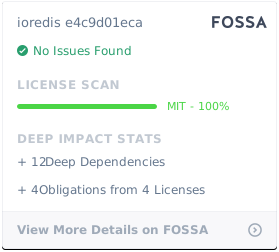](https://app.fossa.io/projects/git%2Bgithub.com%2Fluin%2Fioredis?ref=badge_large)\n",
"readmeFilename": "README.md",
"repository": {
"type": "git",
"url": "git://github.com/luin/ioredis.git"
},
"scripts": {
"bench": "matcha benchmarks/*.js",
"build": "rm -rf built && tsc",
"format": "prettier --write \"{,!(node_modules)/**/}*.{js,ts}\"",
"format-check": "prettier --check \"{,!(node_modules)/**/}*.{js,ts}\"",
"lint": "eslint --ext .js,.ts .",
"prepublishOnly": "npm run build && npm test",
"semantic-release": "semantic-release",
"test": "TS_NODE_TRANSPILE_ONLY=true TS_NODE_LOG_ERROR=true NODE_ENV=test mocha \"test/**/*.ts\"",
"test:cov": "TS_NODE_TRANSPILE_ONLY=true TS_NODE_LOG_ERROR=true NODE_ENV=test node ./node_modules/istanbul/lib/cli.js cover --preserve-comments ./node_modules/mocha/bin/_mocha -- -r ts-node/register -R spec --exit \"test/**/*.ts\""
},
"version": "4.14.1"
}
\n\n# License\n\nMIT\n\n[](https://app.fossa.io/projects/git%2Bgithub.com%2Fluin%2Fioredis?ref=badge_large)\n",
"readmeFilename": "README.md",
"repository": {
"type": "git",
"url": "git://github.com/luin/ioredis.git"
},
"scripts": {
"bench": "matcha benchmarks/*.js",
"build": "rm -rf built && tsc",
"format": "prettier --write \"{,!(node_modules)/**/}*.{js,ts}\"",
"format-check": "prettier --check \"{,!(node_modules)/**/}*.{js,ts}\"",
"lint": "eslint --ext .js,.ts .",
"prepublishOnly": "npm run build && npm test",
"semantic-release": "semantic-release",
"test": "TS_NODE_TRANSPILE_ONLY=true TS_NODE_LOG_ERROR=true NODE_ENV=test mocha \"test/**/*.ts\"",
"test:cov": "TS_NODE_TRANSPILE_ONLY=true TS_NODE_LOG_ERROR=true NODE_ENV=test node ./node_modules/istanbul/lib/cli.js cover --preserve-comments ./node_modules/mocha/bin/_mocha -- -r ts-node/register -R spec --exit \"test/**/*.ts\""
},
"version": "4.14.1"
}